
WordPress Migration
Need to move your WordPress site to a better host? Our WordPress site migration service handles the entire migration process fast and with zero downtime.
We’ll move your complete WordPress website, including all content, plugins, themes, and settings, to your new hosting provider or domain for just $59 USD.
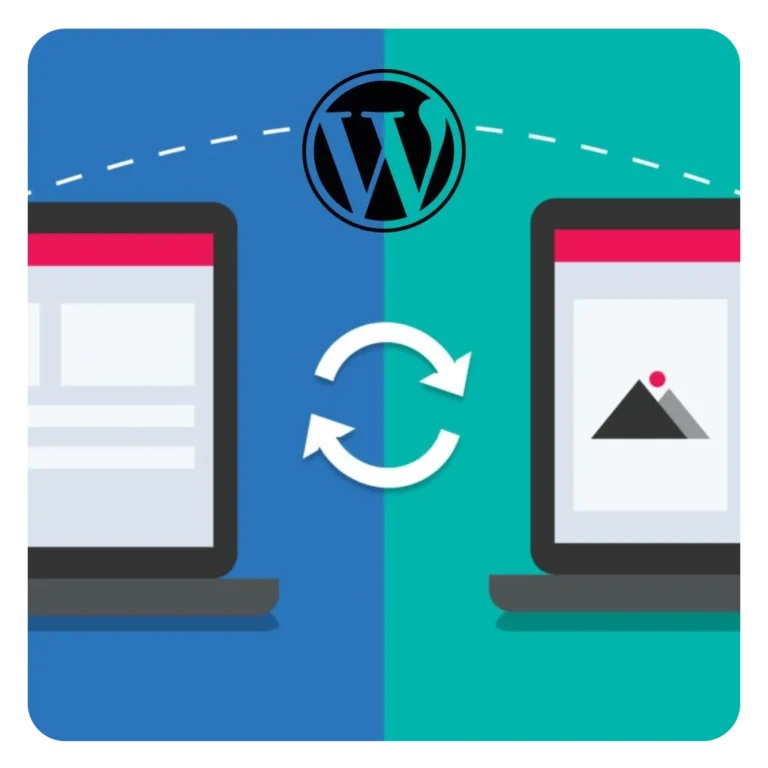
We Move Your WordPress Site to Any Host or Domain
WordPress migration is one of the services that we provide as a one-off task. Having migrated countless WordPress websites between web hosts and domains, our WordPress experts have mastered the migration process and are aware of the difficulties and challenges involved.
We understand that migrating a WordPress site can be technically challenging and time-consuming. That’s why we take care of the entire process for you, transferring your content, WordPress database, plugins, themes, and settings while preserving your SEO rankings.
We also handle all host-specific configuration, including DNS updates and SSL certificate installation, and thoroughly test your WordPress website’s compatibility with your new hosting environment.
Our systematic approach minimizes risks and eliminates the common pitfalls of attempting to migrate your WordPress site manually on your own.
How We Migrate a WordPress Site
We follow a systematic, step-by-step approach to move your existing WordPress site safely and efficiently, handling every technical detail and guaranteeing your website works flawlessly at your new hosting provider (or on your new domain).

Full Site Backup
Your website’s data integrity and continuity are our top priorities throughout the entire migration process.
Before initiating the transfer, we create a complete backup of your WordPress installation and site’s database, providing a secure restore point in case anything unexpected occurs.
This careful approach allows us to proceed with confidence, knowing we can always restore your site to its original state if needed, ensuring zero risk to your live website during the transfer.

Prepare New Hosting Environment
We carefully set up your new hosting environment to match your WordPress site’s specific requirements.
We configure the correct PHP version, create the database and database user with proper database credentials and access permissions, and ensure all server specifications align with your site’s needs.
This preparation ensures your WordPress site will function flawlessly on the new host (or domain) from the moment we complete the transfer.

Transfer WordPress Site
We securely transfer all your WordPress files and import your WordPress database to the new server.
During the upload process, all content including your images, plugins, themes, and any other files within your entire root directory is moved carefully to maintain complete data integrity throughout the transfer.

Configure DNS and SSL Certificate
Depending on your existing setup, we either update DNS records or nameservers for your domain to point to the new host and install your SSL certificate to ensure secure HTTPS connections.
If you’re using Cloudflare for DNS management, we’ll assist you with updating your DNS records within Cloudflare’s dashboard.
Test Functionality
Testing your site after migration is necessary to ensure all functions are working correctly. A staging site allows for testing the migrated site on a temporary URL before going live.
However, we prefer to thoroughly test all pages, forms, plugins, and features to ensure everything functions correctly on our local environment that exactly mimics the target host.
Additionally, if your site migration involves a domain change, we update all internal URLs and links throughout your WordPress database to match the new domain.

Final Verification and Go-Live
Once your site migrated, we test it on your new hosting provider by temporarily modifying the domain’s IP address (target server IP address) in our local development machine’s hosts file.
This allows us to access and verify the destination site on the live server before the DNS is publicly updated.
Once everything is confirmed working perfectly, we update the DNS settings to point your site address to your new host, coordinating the go-live timing with you. DNS propagation typically takes up to 24 hours to complete worldwide.
Purpose-built WordPress Support Platform
We’ve developed a purpose-built, easy-to-use WordPress support platform, where you can login to your admin area, add multiple sites, create tasks (support tickets), communicate directly with your assigned WordPress expert, and track your task’s progress online. Here’s how it works!
1. Request WordPress Migration
Join here, add your website, purchase the one-off service, and select the migration task to get started. One of our WordPress experts will get assigned, and start working on your site right away!

2. Track Progress
Our task management system enables you to communicate directly and securely with our experts, while tracking the progress of every task in real-time, ensuring transparency & peace of mind.

3. Relax & Grab a Snack!
We’ll diligently work on your site migration and notify you once our work is complete. Just sit back, relax, and enjoy a snack while we handle the technical details for you.
Fixed pricing, no hidden fees
Our plans are simple and transparent. Fixed pricing, with no hidden fees.
Each plan clearly outlines the tasks included, so you always know exactly what to expect.
One-off Task
A single fix for a site.
- Malware removal
- WordPress migration
- Fix a Broken WordPress Site
- White screen of death
- Fatal error, Critical error
- Contact forms error (SMTP)
- WooCommerce Checkout Error
Care Plan
per month per site.
- WordPress maintenance
- Security & malware protection
- Plugin & theme updates
- Backups configuration
- Caching configuration
- Uptime monitoring
- Fix a Broken Site
- White screen of death
- Fatal error, Critical error
- Contact forms error (SMTP)
- WooCommerce Checkout Error
- Unlimited website tasks
- Speed optimization
Unlimited Plan
per month per site.
- WordPress maintenance
- Security & malware protection
- Plugin & theme updates
- Backups configuration
- Caching configuration
- Uptime monitoring
- Fix a Broken Site
- White screen of death
- Fatal error, Critical error
- Contact forms error (SMTP)
- WooCommerce Checkout Error
- Unlimited website tasks
- Speed optimization
Performance Plan
per month per site.
- WordPress maintenance
- Security & malware protection
- Plugin & theme updates
- Backups configuration
- Caching configuration
- Uptime monitoring
- Fix a Broken Site
- White screen of death
- Fatal error, Critical error
- Contact forms error (SMTP)
- WooCommerce Checkout Error
- Unlimited website tasks
- Speed optimization
WordPress Migration FAQs

How long does a WordPress migration take?
Most WordPress migrations are completed within 24-48 hours, depending on the size of your website and the complexity of your setup.
Small to medium-sized sites can often be migrated in less than a day, while larger sites with extensive databases or custom configurations may take slightly longer.
We’ll provide you with a timeline estimate after our initial assessment. Contact us for an estimate.
Will my website experience any downtime during the migration?
Your existing site continues to run normally on your existing hosting server until we’ve fully set up and tested everything on the new host.
Once we update the DNS settings, both servers host identical versions of your site during the propagation period (typically 24-48 hours), ensuring zero downtime as visitors seamlessly access either the old or new server.
What information do you need from me to start the migration?
We’ll need access credentials for both your current hosting account (cPanel, FTP, or SSH access) and your new hosting account. We’ll also need your WordPress admin login details.
If you’re migrating to a new domain, we’ll need the domain registrar access to update DNS settings.
All sensitive information is entered securely through our WordPress support platform, ensuring your credentials are protected.
Will all my WordPress plugins, themes, and customizations be preserved?
Yes, absolutely.
When we migrate a WordPress site to your new hosting provider, we transfer your entire site exactly as it is, including all plugins, themes, custom code, media files, and database content.
Your site will look and function identically on the new host. We perform comprehensive testing to ensure all features, forms, and functionality work perfectly before going live.
Can you migrate my site if I don't have access to my old hosting account?
In most cases, yes.
If you have WordPress admin access, we can export your content (all the files and database file) directly from WordPress.
However, having hosting account access makes the process smoother.
If you’re locked out of your old hosting account, we’ll find a solution.
What happens if something goes wrong during the migration?
Your original site remains untouched throughout the migration process, so there’s no risk to your live website.
We work on the new host separately and only switch the DNS once everything is confirmed working perfectly.
Before going live, we thoroughly test for common migration issues including 404 errors (broken links), proper image display, URL functionality (especially if changing domains), and potential “Error Establishing a Database Connection” problems.
We also check for 500 Internal Server Errors that can occur due to .htaccess file conflicts or PHP memory limit issues.
Do you handle email migration as well?
We focus specifically on WordPress website migration. Email migration is a separate process that depends on your email setup (hosting provider based email, Google Workspace, Office 365, etc.).
We can provide guidance on email migration best practices, but we recommend handling email separately or coordinating with your email service provider to ensure no messages are lost during the transition.
Will my SEO rankings be affected by the migration?
When done correctly, a WordPress migration should not negatively impact your SEO rankings.
We ensure all URLs, redirects, and site structure remain identical.
We also verify that your SSL certificate is properly configured and that search engines can crawl your site normally after migration.
Your content, meta tags, and site architecture all remain the same, preserving your SEO value.
Important note: If you’re changing domains during the migration (not just hosting providers), we set up proper 301 redirects from your old domain to your new one. These redirects are critical for preserving your SEO rankings.
What We Promise
We don’t use contractors or outsource any of our work. Every WordPress fix and WordPress maintenance is handled by one of our qualified WordPress experts having at least 10 years of hands-on experience in WordPress development. We ensure that your issue is resolved thoroughly, reliably, and with the highest level of expertise—leaving you confident in the results and satisfied with our service.

Satisfaction Guaranteed

Quick Response

Safety First
We’ll create a full backup of your WordPress site before starting to work on it. This ensures a quick restore if needed.
Still Have Questions?
Feel free to reach out for personalized assistance. Our support team is here to help with any pre-sales questions you may have.