Polylang is a great translation plugin for WordPress. However, on certain occasions, your translated pages somehow cannot link back to the correct page in the primary language.
For example, consider your website has 3 languages. Spanish (primary in this example), English, and German.
Your Spanish page can link to English and German correctly, but not vice versa.
While you are on the Spanish page, you can click English and German from the language selector and the links work. But when you are on English or German page, Spanish flag takes you to the homepage instead of the corresponding page.
If you are having a similar issue and your translations can not link back to each other, continue reading. There is a very simple fix. No coding needed!
Why It Happens?
Normally, Polylang plugin works flawlessly but while working on the translations, sometimes it just loses the link between translated pages. It’s hard to reproduce the issue manually. So, my guess here is when you save one of the translated pages, it doesn’t save all post meta properly.
Unlink All Translations
To do this follow these steps:
At your WordPress Dashboard, select your primary language from the top bar.
Click the languages icon to view the linked translations.

You will see the corresponding (linked) translated pages.
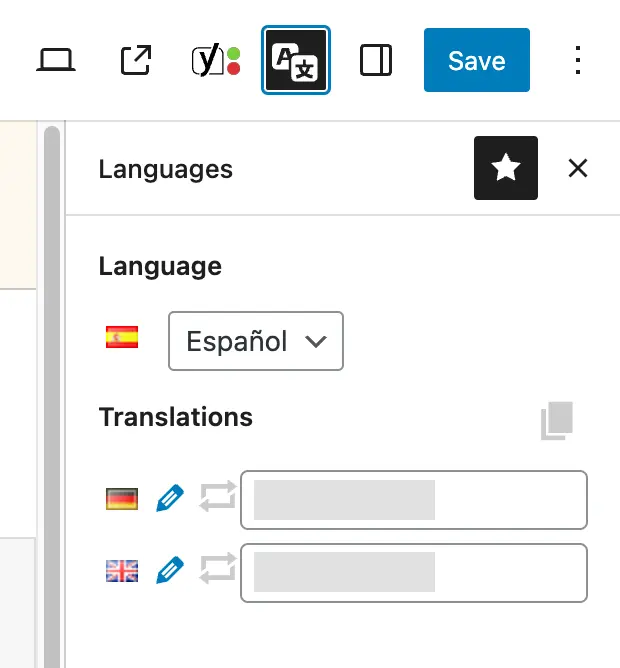
Delete page names from each field and click Save. This will unlink the translated pages.
When you refresh the edit page, both fields should be empty, only with the placeholder “Start typing the post title…” displayed as follows:

Re-Link the Translations
To create the link between translations:
- Type the name of the corresponding page name on each language
- Select them from the dropdown
- Click Save.
That’s it, you’ve fixed the lost link between translated pages.
On the pages list, you should now be able to see the pencil icon displayed, on that page’s translations.
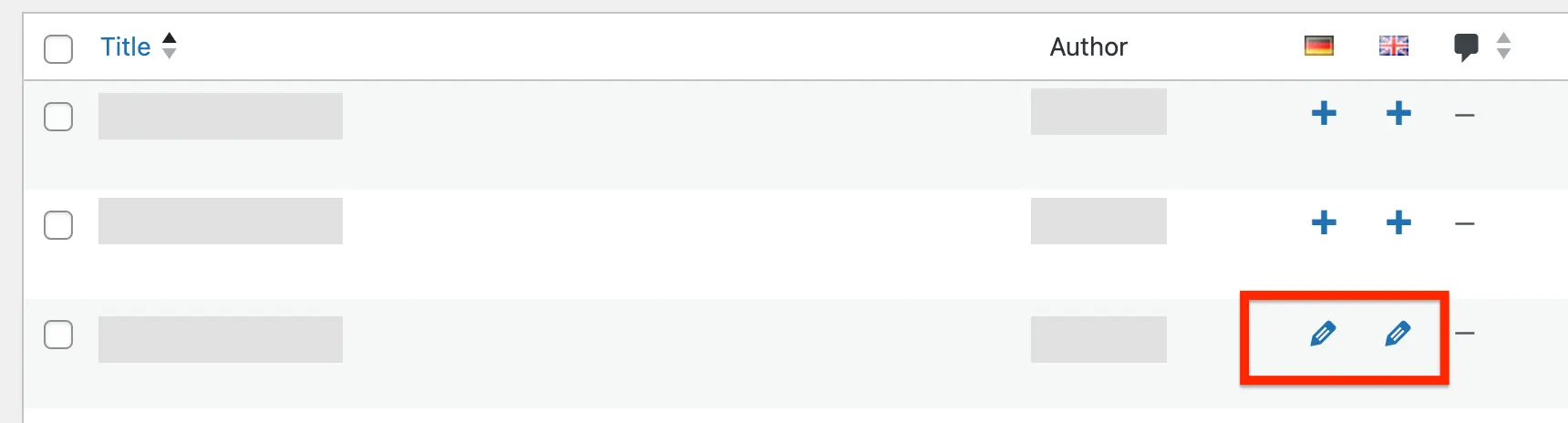
This confirms that, it has corresponding link on the target language.
Conclusion
I have implemented this fix on a couple of occasions and each time it resolved the issue.
If unlinking and re-linking doesn’t solve your issue, you may try to save Permalinks at the Settings.
Still no luck? Try the Support Threads of the Polylang plugin or request help from a WordPress Expert.