I ran into this error recently while updating a client’s WordPress site from version 5.x to 6.9.1.
WP HTTP Error: cURL error 60: SSL certificate problem: unable to get local issuer certificate
If you’ve seen this, here’s what’s actually going on and how to fix it properly.
Why does this happen?
WordPress doesn’t rely on your server’s system certificate bundle when it makes outgoing HTTP requests.
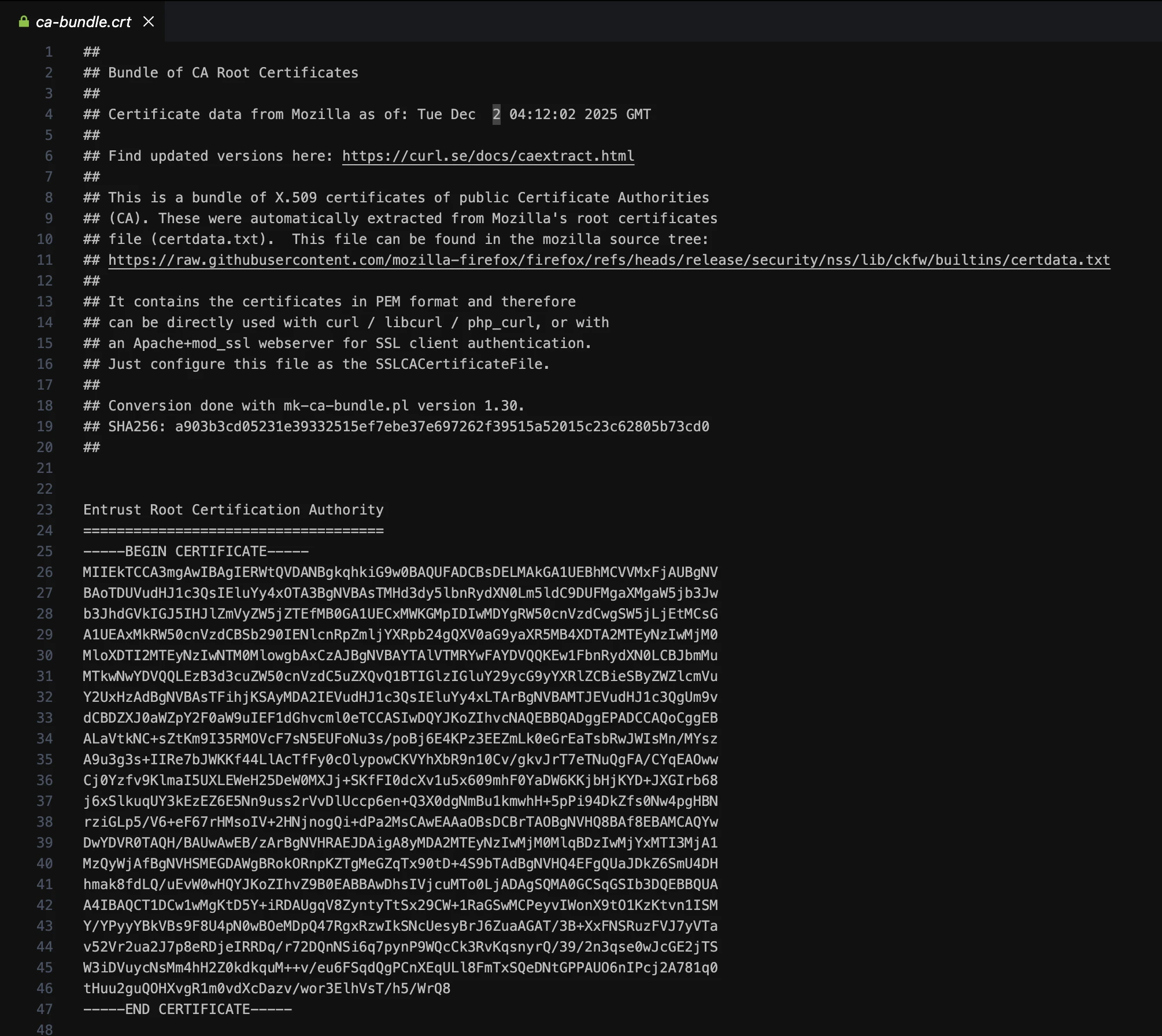
It ships with its own, stored at wp-includes/certificates/ca-bundle.crt. WordPress uses this file to verify SSL connections for things like downloading updates, installing plugins, and calling external APIs.
On a site that’s been sitting on an earlier version of WordPress without updates, that bundle gets stale.
Certificate authorities change over time, and if WordPress can’t trace the SSL certificate of the server it’s trying to reach back to a trusted root in that outdated bundle, cURL throws error 60 and stops further PHP execution, so you can’t simply install a plugin or update a theme.
Newer WordPress versions don’t have this problem. The cert bundle is kept up to date as part of core updates, so a well-maintained site on 6.x or later is unlikely to ever see this error.
The proper fix: Update the certificate bundle
Download the latest CA bundle from https://curl.se/ca/cacert.pem.
Open it in a text editor, then open wp-includes/certificates/ca-bundle.crt on your server the same way. Select all the contents of ca-bundle.crt, paste in the contents from the .pem file, and save. That’s it.
Don’t worry about the different file extensions. Both .pem and .crt are plain text files in the same format. You’re just replacing the contents.
The good news is you don’t need to redo this manually every time.
WordPress updates this file automatically when you run a core update, so once you’re on a current version it stays current on its own.
Temporary workaround if you’re stuck
If you need to get things working immediately, add this to functions.php of your child theme or via Code Snippets plugin:
add_filter('https_ssl_verify', '__return_false');Warning: This disables SSL verification entirely. Use it only to unblock yourself while you sort the cert bundle, then remove it. You really don’t want this running on a live site long term.
Further reading
If you want to dig deeper into the various scenarios where this error shows up, this Stack Overflow thread covers a good range of cases.
Key takeaway
The further behind a WordPress install falls, the more surprises it has waiting for you mid-upgrade.
This SSL error is just one example.
When a site skips years of core updates, it is not just missing bug fixes, it is carrying an outdated certificate bundle, potentially unsupported PHP, plugins that have not been tested against recent WordPress versions, and security vulnerabilities that have long since been patched for everyone else.
If you find yourself constantly delaying WordPress updates because you are not sure how to do them safely, that is exactly what we are here for.
Our WordPress maintenance plans cover everything from core, plugin, and theme updates to daily backups, security scans, and uptime monitoring, so your site stays healthy without you having to think about it.