
If you recently updated to WordPress 6.9 and your emails suddenly stopped working, you’re not alone.
Some users are seeing Could not instantiate mail function error message in their logs. Others don’t get any error messages at all, but their emails simply aren’t being delivered.
WordPress 6.9, released on 2nd December, 2025, brings great improvements, but includes a critical update that may prevent emails from sending if you’re not using an SMTP plugin.
That critical update is about how WordPress determines and sets the envelope sender address, and it particularly affects sites using the native PHP mailer.
Why WordPress 6.9 fails to send emails
Based on the official WordPress Core team article “More Reliable Email in WordPress 6.9” by Dennis Snell, the main intention was to improve the reliability of the emails sent from WordPress with the latest version 6.9.
Technical details can be seen at this WordPress Core Changeset 61010.

Previously, WordPress allowed your mail server configure the envelope sender address automatically, with the false flag marked in the screenshot above.
Well-configured commercial hosting platforms used this to set the envelope sender to an address their own SPF records authorize, so emails were delivered as expected.
WordPress 6.9 removed this flag, and now it sets the sender address explicitly based on your From header, or defaults to wordpress@yourdomain.com.
This change tries to solve the issue for “misconfigured servers” without keeping in mind that many well-configured sites already work properly because WordPress lets the server choose the envelope sender address.
Changeset 61010 actually specifies the potential issue after this change with this:
After this change there is a chance of mail failure for sites with SPF configured but which does not allow mail to be sent on behalf of this domain and if those sites also do not have a properly configured DKIM and DMARC setup. Those sites should review their SPF policies or the
wp_mail_fromfilter.

Simply this means that, if your sender address (either explicitly set by one of your plugins, or defaulted to wordpress@yourdomain.com) is not authorized to send, it will fail.
Because, this looks like a forgery to receiving servers as neither DKIM nor SPF match, causing the message to be rejected.
Previously it worked because most hosting companies handled the envelope sender address in such a way that, when it wasn’t explicitly set, it was still matched by SPF and got successfully delivered.
Example configuration when sender envelope address wasn’t enforced by WordPress:
Return-Path: user-123@hostingcompany.com
From: wordpress-admin-user@gmail.comHow to fix WordPress 6.9 email sending issue
Solution #1
If you want to continue using the native PHP mailer instead of an SMTP server, you should properly configure your SPF, DKIM, and DMARC records to allow mail to be sent on behalf of your domain (example: yourdomain.com)
This may not be easy for non-technical users, or for site owners that have difficulty accessing and editing their domain’s DNS records.
You can also explicitly set the From address by adding this snippet to your child theme’s functions.php or via Code Snippets plugin.
add_filter('wp_mail_from', function($from_email) {
  return 'info@yourdomain.com';
});Don’t forget to change info@yourdomain.com here to the actual email that you want to specify as the from address. This is also the address that emails bounce to if the recipient is not available.
Solution #2
The following code snippet, suggested by a WordPress Core Contributor, fixes certain PHPMailer configurations and have worked for many people.
Add the snippet to your WordPress child theme’s functions.php or via Code Snippets plugin.
function use_no_sender( $phpmailer ) {
   $phpmailer->Sender = "";
}

add_action( 'phpmailer_init', 'use_no_sender' );Solution #3
A better solution is to use an SMTP plugin, such as FluentSMTP, or WP Mail SMTP.
If you use WP Mail SMTP with Microsoft 365, see how to fix the InvalidAuthenticationToken error.
These plugins allow you to send emails through a proper SMTP server or through an external mail service provider such as Brevo or SMTP2GO.
There are tons of articles on how to configure a SMTP plugin, so I won’t dive into the details in this article.
My recommendation: use SMTP2GO
My recommendation is to use SMTP2GO for your transactional emails, contact form emails, password resets, or notification emails.
Their free plan includes 1000 emails per month, which is more than enough for most websites and use cases.
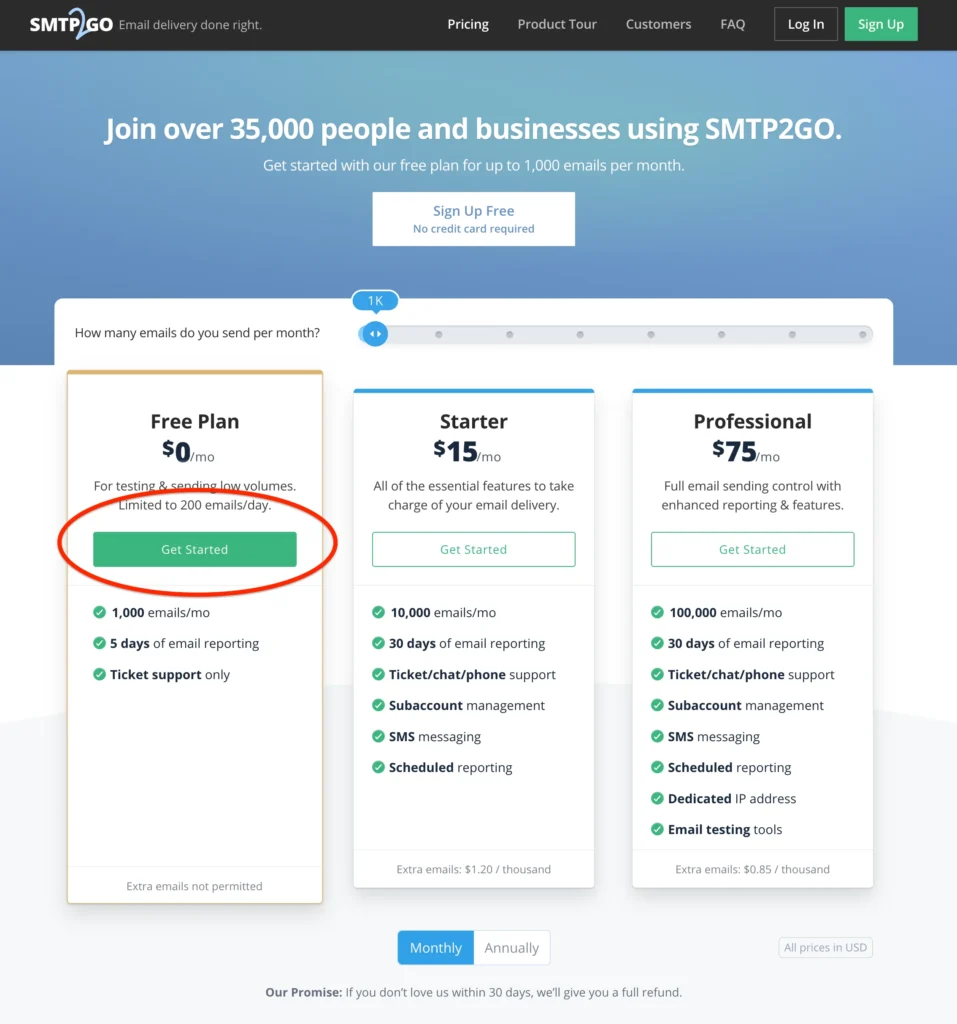
Click Get Started, sign up, add your domain as a verified sender, and complete the setup as per their easy-to-follow guide.
Setup is fairly simple and not technical. Most users can complete in a few minutes.
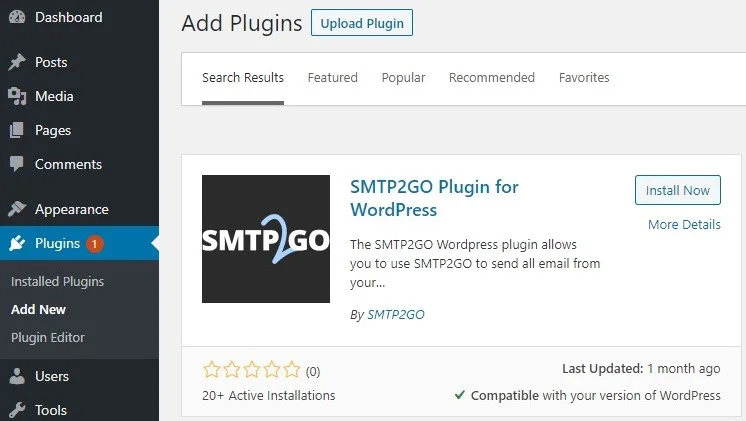
SMTP2GO has a dedicated WordPress plugin which makes the integration very easy with the use of an API key.
So, you don’t have to deal with the complex SPF, DKIM, and DMARC records to improve email deliverability.

Conclusion
Email deliverability is critical for any WordPress website. Password resets, order confirmations, contact form notifications and membership updates all have to reach the inbox reliably.
The changes introduced in WordPress 6.9, while intended to improve email reliability, have inadvertently exposed a fundamental weakness in relying on native PHP mailers: the complexity of proper email authentication.
Modern email providers like Gmail, Outlook, and Yahoo have strict authentication requirements. Without properly configured SPF, DKIM, and DMARC records, your emails are likely to be rejected or flagged as spam, exactly what’s happening to many sites after the 6.9 update.
For most website owners, managing these DNS records is technically challenging and time-consuming. This is precisely why using an SMTP plugin with your own SMTP server or with an external service provider like SMTP2GO is essential.
Rather than struggling with complex DNS configurations or risking your emails never reaching their recipients, an SMTP service handles all the technical heavy lifting for you. If your emails still don’t arrive, our WordPress errors guide covers other reasons WordPress doesn’t send emails.
If your site depends on email communication (and it probably does), investing a few minutes to set up proper SMTP delivery isn’t optional anymore; it’s essential.
At WP Fix Fast, we help thousands of WordPress site owners and WordPress agencies with fixing WordPress issues. If you would like one of our WordPress experts handle the solution described in this article, feel free to contact us or initiate a chat now using the live chat widget at the bottom. We don’t use chatbots. Instead, one of our WordPress specialists will directly answer your questions online.